
new
Pass
Deactivate a Pass
Organizers sometimes encounter special or exceptional troubleshooting situations where it is necessary to turn off or suspend the ability to use a specific pass without disabling all passes within a particular pass bucket.
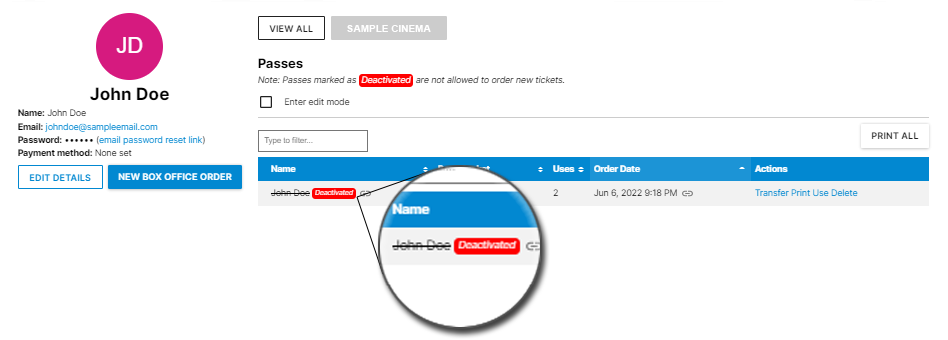
When deactivated, a pass can no longer be used to place new ticket orders. It also no longer appears in the "Quick order..." menu dropdown when a customer clicks to order tickets or unlock a stream. By deactivating a pass, rather than deleting, the deactivated pass loses ability to function, but all of the analytics related to that pass and its use (pass sales, pass ticket analytics, etc) are preserved.
For more on how to deactivate a pass, please visit our new help article.